Sitting shouldn’t add to your back pain. In this practical guide, we explain how to sit in a chair with scoliosis to protect your spine, reduce muscle tension, and support daily mobility. We’ll cover ergonomics, lumbar support, chair adjustments, and when adaptive seating offers better postural support than a standard desk chair.
We don’t diagnose conditions or replace care from your clinician. Our role is ergonomic solutions and adaptive seating that improve comfort, safety, and independence while sitting and during sit-to-stand transfers.
What Happens When You Sit with Scoliosis?
Scoliosis is a three-dimensional curvature of the spine, which means that the spine curves sideways. It can cause uneven shoulders or hips and sometimes back pain or fatigue. Because the spine curves and rotates, sitting can distribute weight unevenly.
Common effects include:
- Faster muscle fatigue and back or neck pain from overworking one side
- Pressure hot spots on the pelvis and ribs, and slouching toward the curve
- Reduced endurance and focus as posture collapses over time
- Harder, less safe sit-to-stand if the seat height/angles aren’t right
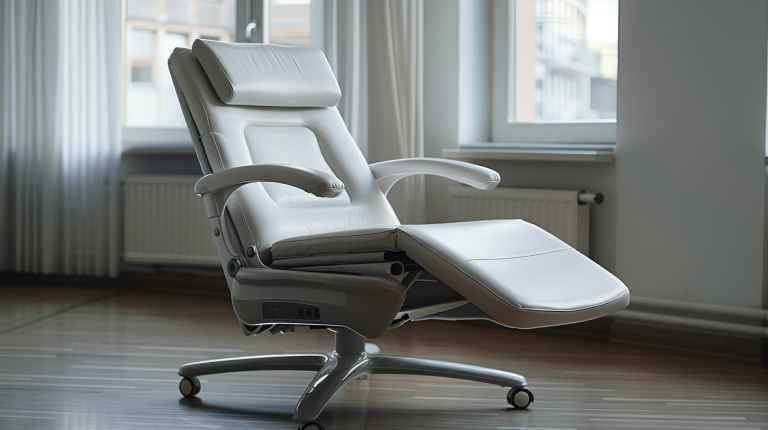
AT EMP Living, we custom-fit adaptive seating to your body—adding powered height and tilt for easier sit-to-stand, real lumbar and lateral supports to reduce pressure and slouching. We fine-tune seat height, depth, armrests, and cushioning to your needs so you stay aligned longer, reduce pain, and lift yourself with confidence.
Learn More About Adaptive Seating
What Is the Best Sitting Position for Scoliosis?
The most reliable baseline is a neutral spine with a neutral pelvis—not over-arched, not flattened. These cues improve sitting posture for most people with spinal curvature:
- Pelvis & sacrum: Sit back on the sit bones with the pelvis neutral (avoid tucking under). Gentle pelvic tilts (forward/back) help you “find center.”
- Lumbar spine: Preserve the natural inward curve with lumbar support (a lumbar roll or lumbar cushions).
- Rib cage & shoulders: Keep the rib cage stacked over the pelvis; avoid rotating toward a spinal asymmetry or lateral shift.
- Head and ribs: Lengthen through the crown; keep the head aligned over the ribs to reduce neck pain.
- Knee & hip angle: Hips slightly above or level with the knees; knees bent at ~90–100°.
- Feet & pressure: Feet flat, weight through the heels; use a footrest if needed to avoid toe-tip loading and pressure hot spots.
- Keyboard height: If using a computer, keep it at forearms level with your shoulders relaxed. Align your computer keyboard so elbows are ~90°.
Why Ergonomics Matter for Daily Comfort
How to Set Up Your Chair & Desk for Scoliosis Support
Chair Height, Depth & Backrest
- Seat height: Adjust so your thighs are level and feet fully supported; for high seats, add a footrest.
- Seat depth: You should have 2–3 fingers of clearance behind the knees to protect spinal discs and avoid compressive back muscle strain.
- Backrest & recline: Slight reclining backrest (90–110°) often eases lower back load; maintain lumbar contact.
- Armrests: Adjust armrests to keep shoulders down and forearms supported; too high elevates the trapezius muscles and adds neck pain.
- Cushioning: A firm-but-forgiving cushion helps distribute pressure and reduce the risk of pressure sores during longer tasks.
Desk, Monitor & Keyboard (Work From Home or Office Furniture)
- Monitor height: Top third of the screen at or slightly below eye level to avoid forward head posture.
- Keyboard & mouse: Keep them close; elbows at 90°, wrists neutral. If using multiple desks or laptops, a riser helps.
- Computer habits: Schedule micro-breaks every 25–30 minutes—stand, breathe, reset your posture.
What is a Lift Chair? | Features, Costs, and Benefits
How to Properly Sit in a Chair with Scoliosis | A Step-by-Step Guide
1. Before You Sit
- Clear the area; lock the brakes if your chair has them.
- Align the seat height with the back of your knees; set armrests to support elbows without hiking shoulders.
- Position the screen and keyboard first, then the chair, so your body (not the furniture) drives layout.
2. Sit Down with Control
- Back up until the seat touches your calves.
- Reach back for the armrests.
- Bend at the hips and knees; keep the rib cage stacked over the pelvis. Don’t “twist-collapse” into the chair.
3. Find Neutral & Support It
- Perform gentle pelvic tilts to find neutral.
- Place your lumbar support so it fills the inward curve of the lumbar spine.
- Check head and rib alignment; let the shoulders drop.
- Adjust armrests and foot support until pressure feels even left-to-right; asymmetry indicates more support or a cushion tweak is needed.
4. During Computer Work: Protect the Spine
- Keep forearms supported; avoid shrugging.
- Every 25–30 minutes, reset posture or stand briefly.
- Use brief desk exercises if cleared by your clinician.
5. Stand Up Safely
- Slide to the seat edge; place feet under knees; lean chest forward, then press through the legs and armrests.
- If your chair has powered height, raise it slightly to reduce back pain and load on back muscles during the transfer.
Get the Perfect Chair for Proper Back Support
When Adaptive Seating Helps People with Scoliosis
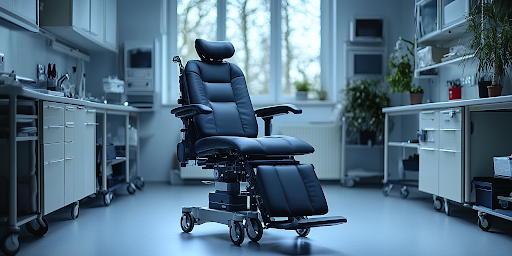
If you repeatedly fight the chair to stay aligned (or if getting up safely is hard), standard chairs may be at their limit. At EMP Living, our specialty is adaptive seating—chairs engineered for posture, mobility, and safe movement at home, school, or work.
Compared to a general “ergonomic chair,” adaptive seating can integrate:
Functional Positioning Features
- Powered height adjustment: Raise and lower the seat to match your range of motion, reduce load on the lower back, and improve sit-to-stand mechanics.
- Tilt-in-space and controlled recline: Offload spinal discs and redistribute pressure without losing pelvic alignment.
- Lateral supports & postural support: Gentle, adjustable lateral supports can help manage spinal misalignments or a lateral shift pattern.
- Stable base with brakes: Locking casters and brakes add stability for transfers and tasks.
- Modular accessories: Arm, trunk, lumbar, and footrest options to fine-tune symmetry and comfort.
Backrests That Follow Your Spinal Curvature
- Custom-shaped backrest cushions: We can custom design backrest cushions to follow your primary spinal curves, helping distribute pressure more evenly and reduce the feeling of “fighting” a flat backrest.
- Segmented and contoured support: Contoured panels and adjustable tension straps can be tuned to support different parts of the thoracic and lumbar spine without forcing you into a perfectly straight position.
- Integration of third-party cushions: When you already have a specialty backrest or cushion recommended by your PT or OT, we can often integrate many third-party backrest systems onto our REAL® chairs, so you don’t have to choose between your preferred cushion and better mobility.
- Fine-tuning over time: Because scoliosis patterns and comfort needs can change, our modular backrest setups can be re-shaped and adjusted over time in collaboration with your clinical team.
Who Typically Benefits from Adaptive Seating
- People with idiopathic, congenital scoliosis, or neuromuscular scoliosis who need more than a standard office chair.
- Individuals with combined issues (degenerative changes, painful spinal elongation challenges, or complex spinal condition patterns) who need reliable postural support for longer tasks.
- Anyone whose sitting position is reasonable for 10 minutes but collapses after an hour. Adaptive features help maintain alignment with less effort.
Explore Adaptive Seating Solutions at EMP Living
REAL Adult Chair – Custom-Contoured Backrest

This REAL® Adult Chair from EMP Living is shown with a custom-contoured backrest system designed to follow spinal curvature. Adjustable tension straps, modular cushions, and compatible third-party back supports allow the backrest to be shaped around scoliosis or other posture needs, while the powered height and ergonomic frame support safer, easier sit-to-stand transfers.
When Should I Consider Adaptive Seating for Scoliosis?
If you notice any of the following, adaptive seating might be the right solution for you:
- You can’t keep a neutral sitting posture for typical work blocks despite trying adjustments.
- Back pain, neck pain, or hot-spot pressure builds within 20–30 minutes.
- Standing up safely from your chair is difficult or risky.
- You need extra postural support (e.g., lateral supports, tilt-in-space) to stay aligned and comfortable.
At EMP Living, we fit REAL adaptive chairs around your body and tasks—adding powered height and tilt for easier sit-to-stand, precise lumbar and lateral supports to manage asymmetry, and locking casters/brakes for stable transfers. For patients with scoliosis, this means a chair that truly supports your body—less strain, steadier stand-ups, and more comfortable days.
Speak with an Adaptive Seating Expert
Ergonomic Solutions for People with Spinal Curvature: Frequently Asked Questions
What’s the best sitting position for scoliosis?
A neutral pelvis and lumbar curve with feet supported, knees near 90–100°, and forearms level. Keep the rib cage stacked over the pelvis and use lumbar support to maintain the natural inward curve.
Can exercises improve my sitting endurance?
Often, yes—if cleared by your clinician. Programs like Schroth therapy, gentle Cat-Cow, core engagement, and aquatic therapy may support posture endurance and reduce pain during seated tasks.
Will sitting “fix” my scoliosis?
No—sitting posture doesn’t correct spinal curvature. It helps manage pain, reduce pressure, and support function.
EMP Living – Adaptive Seating That Fits Your Life
At EMP Living, we custom-fit adaptive seating to your body and daily tasks so sitting feels easier, safer, and more independent. As the U.S. partner for REAL® chairs, we configure powered height and tilt for confident sit-to-stand, precise lumbar and lateral supports to reduce pressure and slouching, and stable locking casters/brakes for secure transfers—at home, work, or school.
Our team collaborates with your PT/OT when needed, offers clear pricing, and backs every setup with a 30-day full refund, so you can validate real-world comfort before you commit.